

Web technologies as the foundation for powerful desktop applications
Decisive factors:
Desktop software today has to run on every relevant operating system. The classic approach means three native codebases, three specialist teams and triple the maintenance effort. Electron removes this complexity: we build your desktop application with proven web technologies and deliver a solution that works equally well on Windows, macOS and Linux.
The framework combines Chromium as the rendering engine with Node.js as the backend runtime. Our team works with JavaScript, TypeScript, HTML and CSS, technologies we know inside out, and draws on the entire npm ecosystem with over two million packages. At the same time, we seamlessly integrate native operating system features such as system notifications, tray icons, file system access and automatic updates into your application.
The result: professional desktop software at a predictable cost. Companies like Slack, Visual Studio Code, Discord and Figma rely on Electron, so the technology stack has proven itself at enterprise level. As an open source project under the MIT license, backed by the OpenJS Foundation, its long-term availability is assured.
Strategic advantages for your business
Choosing Electron is about far more than the technology itself. It directly affects your project budget, your speed to market and the long-term maintainability of your desktop software.
- Cost efficiency through a single team. One development team covers all three desktop platforms. No separate specialists for Windows, macOS and Linux needed: our team masters the entire stack. This significantly reduces your project costs and coordination overhead.
- Faster time to market. New features are implemented once and immediately available on all platforms. Parallel development in C++, Swift and C# is eliminated entirely. From idea to shippable desktop application in a fraction of the usual time.
- Access to the largest talent pool. JavaScript is the most widely used programming language in the world. Our team brings deep JavaScript experience and can deliver Electron projects faster than with native desktop frameworks, so you benefit from shorter development times and lower costs.
- Native operating system features. Despite web technologies at its core, Electron offers full access to native OS APIs: system notifications, tray icons, global shortcuts, menu bars, file system access, autostart and deep links. The finished app behaves like a native application for your users.
- Proven at enterprise level. Visual Studio Code, Slack, Discord, Figma, Notion: the most successful desktop applications in the world are built on Electron. The framework has proven itself under millions of daily users and the highest demands on stability and performance.
Facts and figures
0
+
Years
of Experience
0
+
Team
Members
+
0
%
Long-term
Partnerships
A process that creates planning certainty
Every project follows a structured process with clear responsibilities, defined milestones and transparent communication. At any point you know exactly where your project stands, what comes next and which decisions are due.
-
Strategic analysis and requirements assessment:
Together we define the scope of your desktop application, identify target platforms and evaluate technical requirements. You receive a reliable assessment of effort, timeline and architecture decisions before you make an investment decision.
-
Architecture concept and technology selection:
Based on the analysis, we design the optimal application architecture: process model (main/renderer), IPC communication, data storage and security concept. Where needed, we integrate existing backend APIs and define the update strategy. We also decide which components stay in TypeScript and where Rust modules deliver a measurable benefit.
-
Iterative implementation with defined milestones:
Development takes place in clearly defined sprints with measurable interim results. After every sprint you receive a runnable version you can test on real systems. Course corrections are possible at any time without extra costs.
-
Quality assurance on all target platforms:
Automated and manual tests on Windows, macOS and Linux ensure your application runs stably and performs well across platforms. Security audits, performance benchmarks and code signing are a fixed part of every release cycle.
-
Installer creation and distribution strategy:
We build professional installers for all target platforms (MSI/NSIS for Windows, DMG for macOS, DEB/RPM/AppImage for Linux), set up code signing certificates and implement an automatic update infrastructure for seamless updates in production.
-
Long-term maintenance and strategic evolution:
After launch, we keep your application stable through proactive monitoring, prompt Chromium updates when security issues arise and regular dependency updates. We plan strategic enhancements with you on a quarterly basis.
Typical use cases
Electron delivers its greatest value where powerful desktop applications need to be deployed across platforms, with the speed and flexibility of modern web development.
Internal business tools
Company-internal tools for administration, process control and workflow automation as an installable desktop app. Employees work in a dedicated application instead of a browser tab: more focused, faster and with offline capability.
Data visualization and dashboards
Complex data analysis, real-time dashboards and interactive visualizations as a standalone desktop application. Direct access to local data sources, high-performance rendering of large datasets and export to all common formats.
Developer and productivity tools
IDEs, API clients, database managers or build tools: Electron is the preferred platform for developer tooling. Visual Studio Code has shown what is possible, and we build your specialized tools on the same foundation.
Media and content applications
Image editing, audio tools, video management or content management systems as a desktop app. Direct file system access, local processing of large media files and seamless integration into existing creative workflows.
Communication platforms
Messaging, video conferencing or collaboration tools as a standalone desktop application. System notifications, autostart, tray integration and persistent connections keep your team reachable at all times.
Point-of-sale systems
POS and sales applications that need to run on different desktop operating systems. Connection to peripherals such as receipt printers, barcode scanners and cash drawers through native interfaces.
Scientific and technical software
Measurement, control and analysis applications for research and engineering. Connection to lab equipment, processing of large data volumes and cross-platform deployment to universities and research institutions.
Document management
Managing, editing and archiving documents in a dedicated desktop application. Drag and drop from the file system, local indexing, full-text search and secure synchronization with central servers.
Technologies that strengthen Electron projects
Electron applications benefit from a mature JavaScript ecosystem. Every technology we use is established, actively maintained and widely available on the market.
Rust as a complement: native performance where JavaScript reaches its limits
Electron is the right choice for the interface, system integration and development speed. For compute-heavy core functions we combine the framework with Rust where needed. The result is a hybrid architecture like the one used by 1Password and Signal Desktop: web technologies for the interface, Rust for the parts that demand speed, memory safety or a low resource footprint. Electron officially supports this path through Node addons, and NAPI-RS provides tooling that projects such as Next.js, Prisma and Tauri already use in production.
Native Node modules with NAPI-RS
We implement compute-heavy logic such as parsing, encryption or image and data processing in Rust and integrate it into the main process as a precompiled Node module. Calling it from TypeScript remains a regular function call. NAPI-RS generates the type definitions automatically and ships ready-made binaries for Windows, macOS and Linux, including ARM.
WebAssembly in the renderer
When logic should run close to the interface, we compile Rust to WebAssembly. Chromium and Node.js execute WASM without any additional installation. Ideal for editors, visualizations or calculations directly in the UI, in web workers where needed, so the interface stays responsive.
Sidecar processes and CLI tools
Standalone Rust binaries run as a separate process alongside the Electron app: for background synchronization, local indexing, hardware access or long-running jobs. Crashes stay isolated, and the same binary can be reused outside the desktop app.
Speed for compute-heavy tasks
Rust compiles to native machine code and uses multi-core processors without the constraints of the JavaScript event loop. For file processing, compression, cryptography or real-time audio and video, speedups of ten times and more over pure JavaScript are realistic.
Memory safety and hardening
Rust eliminates entire classes of memory errors at compile time. Google puts the density of memory safety vulnerabilities in its Rust code at one thousandth of that in its C and C++ code. For password managers, fintech clients or encryption features this is a robust security gain. With electron-hardener, 1Password has also shown how Rust can protect the Electron binary itself against tampering.
Low resource footprint
Rust components run without a garbage collector and without an additional runtime. Less memory, lower CPU load and longer battery life address the most common criticism of Electron applications exactly where it is justified.
When Rust makes the difference, and when it does not
Rust is not an end in itself. We only recommend combining it with Electron when the performance, security or resource consumption of a core function justifies it. An honest assessment of this is part of every initial consultation.
- Worth it for. Processing large files and datasets, cryptography, real-time audio and video, local full-text search and indexing, hardware protocols and anywhere users noticeably wait for calculations.
- Not needed for. Forms, CRUD interfaces, API clients and dashboards with moderate data volumes. JavaScript is entirely sufficient here. Every additional toolchain costs build time, expertise and maintenance effort that we will not impose on you without good reason.
- Our approach. We start in TypeScript, measure under real conditions and port only the proven bottlenecks to Rust. The codebase stays maintainable for your team, and Rust is used where it makes a demonstrable difference.
Collaboration that fits your structures
Whether fixed budgets, iterative development or a long-term partnership: we work in the model that matches your internal approval processes and planning cycles.
Can an Electron app be extended with Rust when JavaScript hits its performance limits?
Yes, and specifically where it pays off. Electron and Rust are not mutually exclusive, they complement each other. The interface and system integration stay in JavaScript or TypeScript, while compute-heavy core functions move to Rust.
Three integration paths
- Native Node module (NAPI-RS): Rust code is compiled into a precompiled Node addon and called from the main process like any regular function. TypeScript definitions are generated automatically, and ready-made binaries exist for Windows, macOS and Linux.
- WebAssembly in the renderer: Rust is compiled to WebAssembly and runs directly in the interface, in a web worker where needed. Chromium and Node.js support WASM without any additional installation.
- Sidecar process: A standalone Rust binary runs alongside the Electron app, for example for background synchronization, local indexing or hardware access. Crashes stay isolated.
Where Rust pays off in Electron apps
- Compute-heavy processing: Parsing large files, compression, image and media processing, real-time audio and video
- Cryptography and sensitive data: Rust eliminates entire classes of memory errors at compile time
- Resource footprint: Rust components run without a garbage collector and without an additional runtime
Products such as 1Password 8 and Signal Desktop follow exactly this pattern: Electron for the interface, Rust for the security- and performance-critical core.
Where Rust is not needed
Forms, CRUD interfaces, API clients and dashboards with moderate data volumes run perfectly well in JavaScript. Every additional toolchain costs build time, expertise and maintenance effort.
Our approach: We start in TypeScript, measure under real conditions and port only the proven bottlenecks to Rust. Learn more on our Electron development page.
Can an existing web application be converted into an Electron app?
Yes, and this is exactly where one of Electron's biggest strategic advantages lies. Existing web applications can be gradually expanded into full-fledged desktop apps.
The migration path
Phase 1: Basic integration
Your web application is embedded within an Electron shell. This alone already offers several benefits:
- A standalone window with a native frame
- System tray integration
- Operating system-level keyboard shortcuts
- Offline startup capability
Phase 2: Native enhancements
Step by step, you add desktop-specific features:
- File system access: Direct reading and writing of local files
- Native dialogs: Open file, save as, and print dialogs
- System notifications: OS-native push notifications
- Menu bar: An application menu following platform-specific conventions
Phase 3: Deep integration
- Drag and drop: Drag files directly from Explorer/Finder into the app
- Protocol handlers: Custom URL schemes (e.g.,
myapp://) - Background services: Processes that keep running even when the window is closed
What to keep in mind
- Responsive design: Your web application should be able to handle variable window sizes
- Offline strategy: Which features should be available without an internet connection?
- Authentication: Session management needs to be adapted for the desktop context
The result: The transition can happen incrementally. You start with minimal changes and expand the native feature set as needed, without putting your web application at risk.
Electron or Tauri: which framework fits our desktop project?
Both frameworks bring web frontends to the desktop, but with different priorities. The right choice depends on your requirements, not on trends.
The central difference
- Electron bundles Chromium and Node.js with the application. Every machine gets exactly the same rendering engine, and the installer is correspondingly large (often over 100 MB).
- Tauri uses the webview of the operating system (WebView2, WKWebView, WebKitGTK) and a core written in Rust. Installers are a few megabytes in size, and memory consumption is significantly lower.
When Electron is the better choice
- Rendering consistency: Pixel-perfect parity on every system is mandatory, for example in design or media tools
- Node.js ecosystem: The business logic depends on npm packages without a Rust equivalent
- Existing code: An existing Node.js backend should be reused directly
- Maturity: The largest ecosystem, the most references and the broadest talent pool
When Tauri is the better choice
- Size and resources: Large rollouts, weak hardware, kiosk systems or many programs running in parallel
- Security: A memory-safe language at the core and a permission model that grants every system function individually
- Mobile: With Tauri 2, desktop and mobile apps come from one codebase
The third way
If you stay with Electron, you can still implement compute-heavy parts in Rust and integrate them as a native module. Many of the performance arguments for Tauri can be realized within Electron this way.
The bottom line: We evaluate target platforms, security requirements, existing code and team know-how and give you a clear recommendation. Both frameworks are part of our daily work, so we have no interest in selling you the wrong one. A good starting point is our concept workshop.
How Long Does It Take to Develop an Electron App?
The answer depends on your starting point. Electron significantly shortens development time compared to native desktop development, especially when existing web expertise is already in place.
Scenario 1: Existing Web Application as a Desktop App
- Basic shell (window, menus, system tray): 1-2 weeks
- Native features (file system, notifications, auto-update): 2-4 weeks
- Installer and distribution (MSI, DMG, Linux packages): 1-2 weeks
- Quality assurance across all platforms: 1-2 weeks
Typical total timeframe: 5-10 weeks
Scenario 2: New Desktop Application
- The timeframe depends on the scope of features
- Comparable to web app development, plus 2-4 weeks for desktop-specific integration
- Advantage: native functions are factored in from the start
What Affects the Timeframe
Speeds Things Up
- Existing web application with clean architecture
- Clear requirements for native functions
- Experienced JavaScript/TypeScript team
Slows Things Down
- Complex offline synchronization
- Deep operating system integration (drivers, hardware access)
- Platform-specific UI adjustments (Windows vs. macOS vs. Linux)
- Enterprise requirements (MDM, group policies)
The bottom line: Electron makes it possible to build a desktop app in a fraction of the time that three separate native developments would require. And the time you save can be invested in better UX.
How do Electron apps perform in terms of speed and resource usage?
This is a fair question, and the answer is more nuanced than the blanket criticism suggests. Modern Electron is far more resource-efficient than its reputation implies.
The current state of things
- Chromium optimizations: Electron directly benefits from Google's ongoing performance improvements to the Chromium project
- V8 JavaScript engine: JIT compilation delivers execution speeds that come close to native code in many scenarios
- Memory usage: A typical Electron business application uses 100-250 MB of RAM, which is perfectly acceptable for modern desktop systems with 8-32 GB of memory
Our optimization strategies
- Lazy loading: Modules are only loaded when they're actually needed
- Process architecture: A clean separation of main and renderer processes prevents UI blocking
- Native modules: We offload performance-critical operations to native Node.js add-ons (C++/Rust)
- Bundle optimization: Tree shaking and code splitting reduce initial load times
A reality check
VS Code, one of the most complex desktop applications in the world, runs on Electron and is used by millions of developers every day who consider it fast and responsive. This shows that architecture determines performance, not the framework itself.
The bottom line: With the right architecture, Electron apps deliver performance that's more than sufficient for business applications. Resource consumption is a solvable engineering challenge, not a fundamental limitation.
How do updates and versioning work for Electron apps?
Unlike mobile apps, which have to go through app stores, desktop apps give you full control over the update process.
Auto-update mechanism
Electron offers a built-in auto-updater, which we configure to fit your requirements:
- Background downloads: Updates are downloaded in the background without interrupting the workflow
- Differential updates: Only changed files are transferred, not the entire application
- Rollback capability: If issues arise, the system can automatically revert to the previous version
- Staged rollouts: Updates can be rolled out gradually to different user groups
Distribution options
- Direct distribution: Download via your website or an internal portal
- Windows: MSI installer for enterprise environments, EXE for individual installations
- macOS: DMG or PKG, optionally through the Mac App Store
- Linux: AppImage, DEB, RPM, or Snap, depending on the target environment
Enterprise scenarios
For enterprise environments, we also implement:
- MDM compatibility: Integration with Mobile Device Management systems
- Group policies: Configuration via Windows GPO
- Private update servers: Updates delivered through your own infrastructure instead of public servers
The result: You retain full control over versions, rollouts, and update cycles, without relying on external app stores or approval processes.
How secure are Electron applications?
Security is especially critical for desktop applications, since they have direct access to the operating system. Electron offers a multi-layered security model, which we implement consistently.
Architectural security measures
- Process sandboxing: Renderer processes run in a sandbox with restricted permissions, so compromised frontend code cannot access the file system
- Context isolation: JavaScript contexts for the application and Electron internals are strictly separated
- Content Security Policy: Protection against XSS and code injection through strict CSP headers
- Node.js integration: Disabled by default in renderer processes, accessible only through secured IPC bridges
Our security practices
- Regular Electron updates: Every Electron release includes security patches for Chromium and Node.js
- Dependency auditing: Automated checks of all npm dependencies for known vulnerabilities
- Code signing: All installers are signed, so users and the operating system can verify their origin
- Encryption: Sensitive local data is encrypted using native OS keychain APIs
Compliance requirements
For regulated industries, we additionally implement:
- GDPR-compliant data handling: Control over which data is stored locally
- Audit logging: Complete logging of security-relevant actions
- Certificate pinning: Protection against man-in-the-middle attacks during API communication
The result: Electron apps are only as secure as their architecture. With the right measures in place, they meet the requirements of even security-critical enterprise applications.
What advantages does Electron offer over native desktop development?
The key advantage lies in reusing your existing web development expertise. Instead of building separate teams for Windows (C#/.NET), macOS (Swift), and Linux (GTK/Qt), a single team develops for all three platforms using HTML, CSS, and JavaScript.
Concrete advantages
- One team, three platforms: Your web developers can start building desktop apps productively right away, no retraining required
- Huge ecosystem: Over 2 million npm packages are available, covering everything from data visualization to PDF generation
- Native OS integration: Despite relying on web technologies, you still get access to the file system, system tray, native menus, notifications, and keyboard shortcuts
- Automatic updates: Electron includes built-in auto-update mechanisms, so your users always work with the latest version
- Proven stack: VS Code, Slack, Discord, Figma, and Notion all run on Electron, showing the technology is battle-tested in enterprise environments
When native development is the better fit
For applications with extreme performance requirements (3D rendering, real-time video processing) or very tight memory constraints, native development may be the better choice. For the vast majority of business applications, however, Electron offers a better cost-benefit ratio.
The bottom line: Electron significantly lowers the barrier to entry for desktop development and shortens time to market, without meaningful trade-offs for typical business applications.
What ongoing costs does an Electron app involve?
A key advantage over mobile apps: there are no store fees or platform charges for distributing desktop applications.
Framework costs
- Electron: Completely free (MIT license)
- Node.js and npm: Free
- Chromium: Free (BSD license)
Optional infrastructure
- Code signing certificates: ~200-400 USD/year for Windows (EV certificate recommended), Apple Developer Program 99 USD/year for macOS notarization
- Auto-update server: Can run on your own infrastructure or via services like GitHub Releases (free for public repos)
- Crash reporting: Services like Sentry offer free tiers for moderate user numbers
Maintenance and ongoing development
- Electron updates: A new Electron major version with an updated Chromium is released every 8 weeks; we recommend updating quarterly
- OS compatibility: Windows and macOS updates occasionally require adjustments
- Security patches: Regular updates to Node.js and Chromium dependencies
Cost comparison
| Cost factor | Electron | 3x Native (Win/Mac/Linux) |
|---|---|---|
| Development team | 1 JavaScript team | 3 specialized teams |
| Store fees | None | None |
| Code signing | ~300 USD/year | ~900 USD/year (3 platforms) |
| Maintenance effort | 1 codebase | 3 codebases |
The bottom line: The ongoing costs of an Electron app are minimal. The biggest cost advantage lies in consolidating development and maintenance into a single codebase.
Thank you for your trust!
We have safely received your message and are delighted about your interest. Our team is already reviewing your inquiry carefully and will get in touch with you within one working day.
Should you have any further questions or require additional information in the meantime, please do not hesitate to contact us. We are here to assist you and make your concerns our highest priority.
Insights
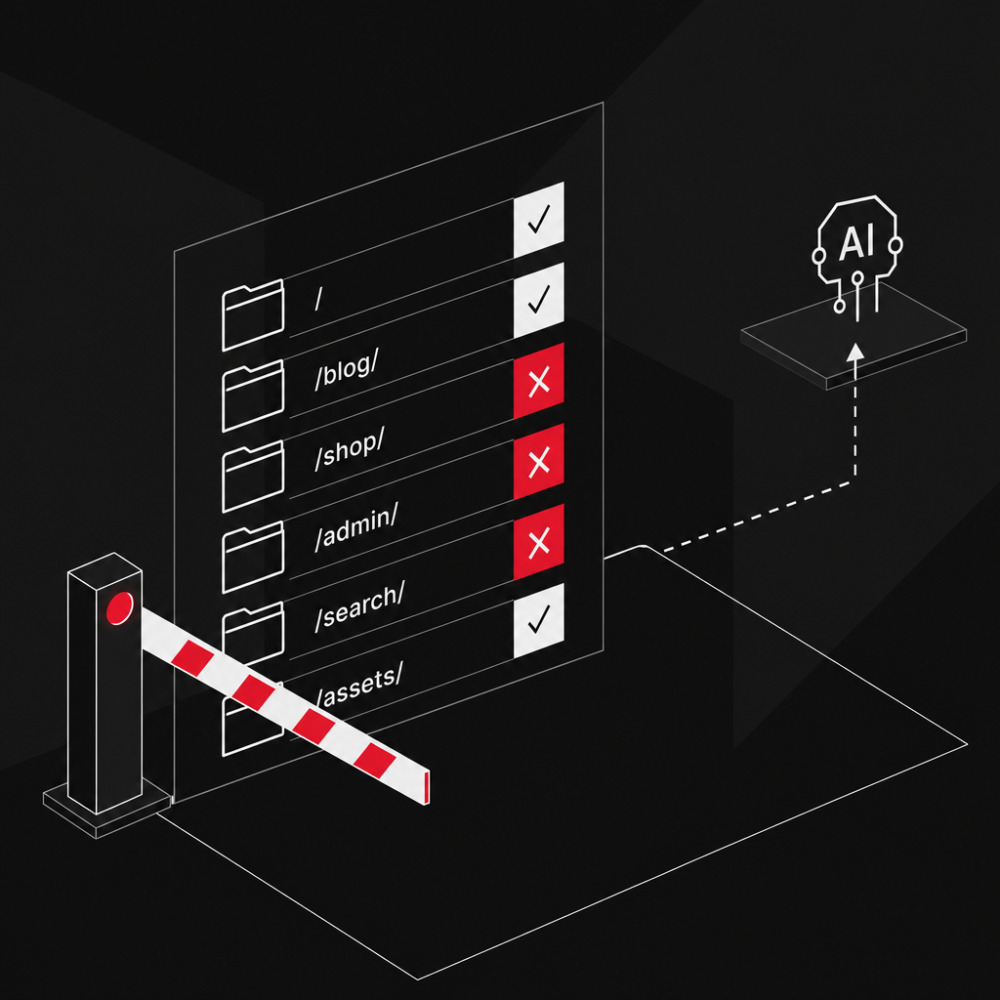
Creating and Properly Configuring a robots.txt
 Max Callsen
To the post
Max Callsen
To the post
-
Webdevelopment
22. June 2026
Ralph Wiggum as a Method: What Autonomous AI Coding Loops Mean for Software Commissioning
 Jonas Emde
-
Webdevelopment
21. May 2026
Developing Better Abstractions: How Declarative API Design Future-Proofs Software Projects
Jonas Emde
-
Webdevelopment
11. May 2026
Agent-based Software Development: When Writing Code Becomes Secondary
Jonas Emde
-
Webdevelopment
08. May 2026
Jevons Paradox in Software Development: Why AI Creates More Jobs, Not Fewer
Jonas Emde